The Right Tool for the Job
TL;DR: I tested the upgrade. It wasn’t one.

AI-generated illustration.
It feels like the “greatest AI model ever made” launches every week.
Every launch gives me the same decision: would switching actually make our product better? That depends on the task, the prompt, the workflow, and whether the improvement survives another run.
I’m building Flock Synthetics, which uses AI to test products and apps and find where people get confused or stuck.
Recently, newer hasn’t meant better for us. Cheaper, yes. Better output for our product, no.
The bug that mattered
One of our test cases is a form that says every field is optional, then disables Continue because an “optional” field is empty.
In one run, GPT-6 Luna flagged confusing labels and terminology. It missed the fact that the supposedly optional field was blocking progress.
I’d like the bug finder to find the bugs.
That form is part of our fixture library: curated test cases drawn from real app experiences and controlled examples. We record the defects each should reveal, and include clean cases where the system should flag nothing.
For this eval, we selected nineteen representative fixtures and tested six models, with three runs each. Every model got the same recorded evidence. We were testing how well they interpreted it, rather than how well they explored a live app.
That’s what our evals measure: whether the system finds the right problems, backs them up with evidence, and recommends useful fixes.
The average hid the tradeoffs
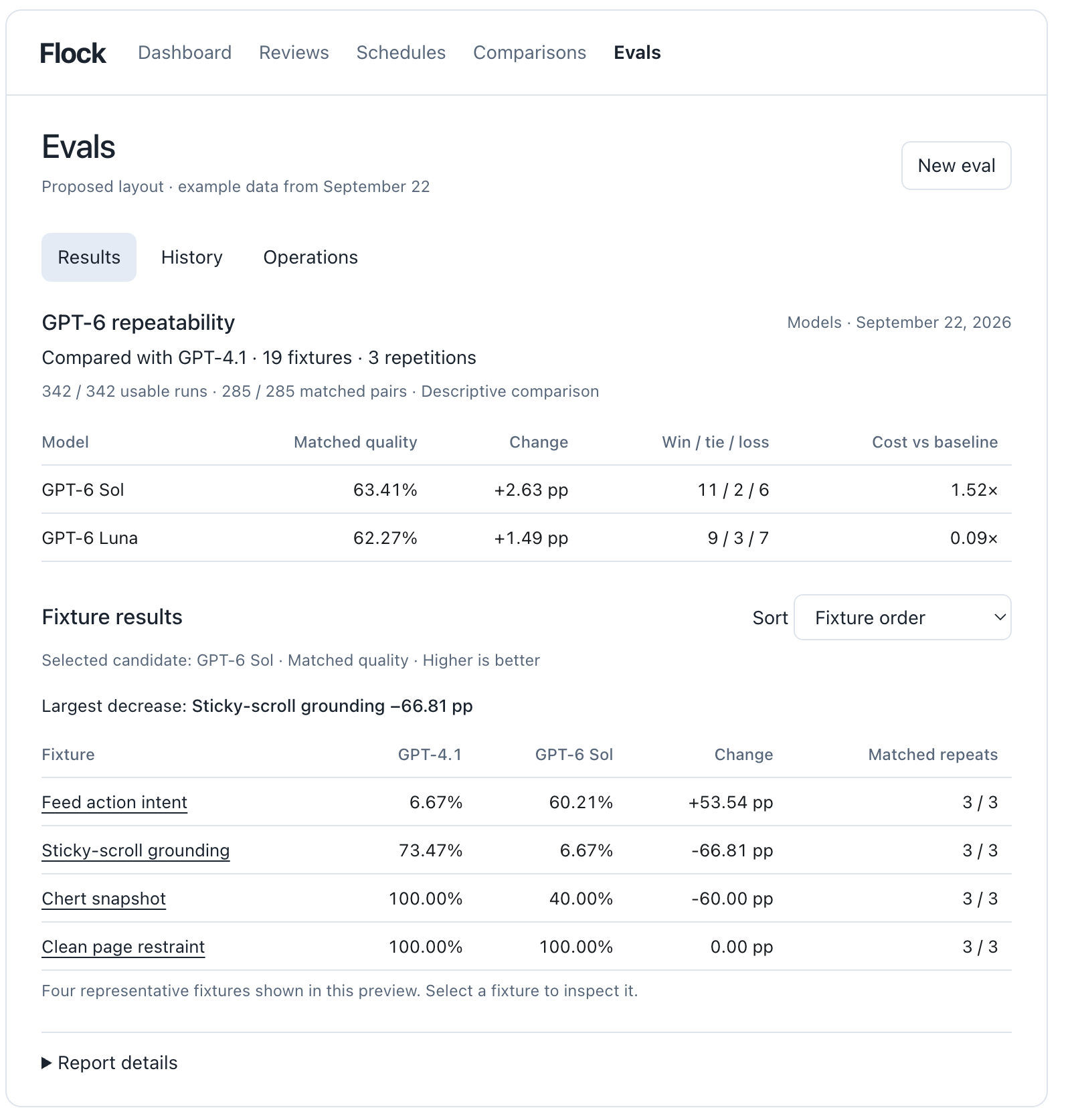
In this comparison, GPT-5.6 Luna had the highest average quality score. GPT-6 Luna was cheapest. GPT-6 Sol had the steadiest scores across repeated runs. Neither newer model beat the older Luna’s average.
But GPT-4.1, the oldest model we tested, scored highest on that blocked form. The model with the best average wasn’t the strongest on every case.
A better average doesn’t make an unacceptable miss acceptable. Our customers need us to find the thing that keeps their users stuck.
The margins were small, and we tested our existing setup. This tells me whether a model looks promising for our product, not which model is best at everything.
See the comparison dashboard (quality scores out of 100).
Not good enough… yet
I wanted the cheaper model to win. These results alone don’t give me enough confidence to switch.
Okay, so how do we make it better?
We already use goal loops to tune our prompts and workflows. That’s how we built our prompt overlays: extra instructions for particular kinds of app experiences. A model change is only one way to improve the product.
For that form, I could test instructions that compare what the interface promises with what it actually requires. The change would need to catch the contradiction without inventing problems in forms that work.
That’s hillclimbing: make a targeted change, test it against the outcome you care about, and keep what works. Here’s how I’d use that loop:
- Decide what better means. Start with real customer tasks. Define what a good result must include and which failures rule out a switch. A lower bill doesn’t compensate for missing the bug that leaves the user stuck.
- Check the grader. Read the outputs and compare them with the scores. If the grader rewards a polished report that misses the problem, fix the grader separately. Apply the corrected scoring criteria to every result you’re comparing.
- Change one thing. Try a prompt, an overlay, or a workflow setting. Keep the cases, grader, and other settings fixed. Repeat promising runs and check what got worse as well as what improved.
- Test on cases you didn’t tune against. Keep those cases and their answers out of the tuning process. Otherwise, you can get very good at passing your own test.
Set a limit on iterations and spending. Stop if an important failure gets worse or the gains disappear on fresh cases. If the difference is buried in noise, add cases or repetitions before declaring victory.
The same loop works whether we’re changing a prompt, a workflow, or the model itself.
Today I was at OpenAI’s DevDay, where GPT-6.1 Sol launched. “State of the art” didn’t even survive the time it took me to edit this post.
Is this one any better for us? I skipped lunch to kick off the eval.